Android TV Box – J-DEAL W1
Said IPTV Engineering
Said IPTV Technical Architecture Desk

What is Android TV Box – J-DEAL W1?
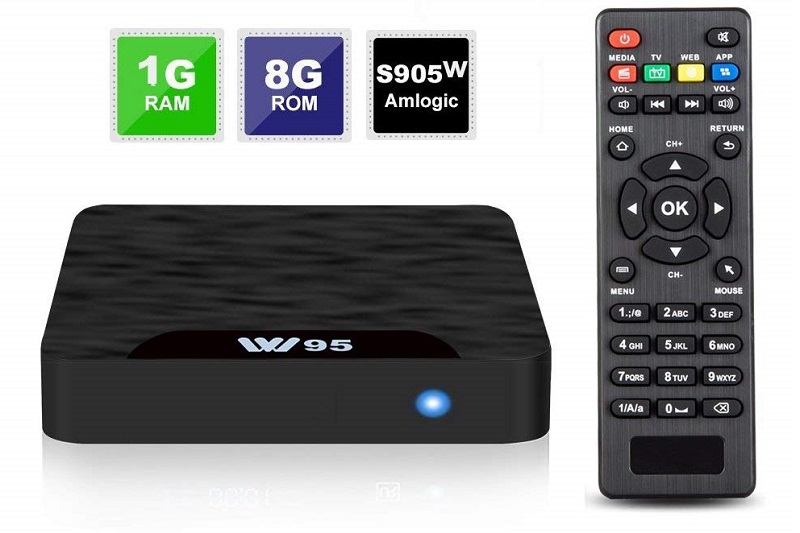
The smart TV box used Android 7.1 OS system with amlogic S905W quad-core ARM Cortex-A53 CPU. It is ultra-fast running speed and professional image processing. 1GB RAM and 8GB ROM Flash, with 8GB ROM you have more space to install your favorite APPs and videos, and 1GB RAM makes your apps run fluently.
- ✔ The LASTEST ANDROID 7.1: The newest J-DEAL smart TV box used Android 7.1 OS system which is more stable than other Android systems, compatible with the latest Android applications and it’s easier to install or uninstall, no buffering or hang time, which improves users’ experience.
- ✔ S905W QUAD CORE: The box comes with amlogic S905W quad-core ARM Cortex-A53 CPU is way ahead in image processing and computing. The high machine configuration with ultra-fast running speed and professional image processing ability definitely makes you enjoy 4K movies.
- ✔ 1GB RAM & 8GB ROM: J-DEAL TV box is built with 1GB RAM and 8GB ROM Flash, with 8GB ROM you have more space to install your favorite apps and videos, and 1GB RAM makes your APPs run fluently.
- ✔ MULTI-PURPOSE: This smart TV box is supported to play almost all the audio and video formats, bringing you to enjoy 4K ultimate HD video. Such as supporting social network, online movies.
- ✔ WARRANTY: We are glad to offer you an exchange or refund during our 1-year warranty if it is the product problems. And if you have any questions, please feel free to contact us.
Installation
This device is using the Android OS which means you can use all apps that have been released for the Android OS.
These apps are available here with installation guide at:
-> How to install IPTV on Android
4K Ultra HD up to 30fps and H.265 Decoding
Smart TV box supports 4K ultra HD up to 30fps and H.265 decoding brings you ultra high definition streaming capability and giving you the better experience to enjoy all happy with the wonderful android box.
Easy to Set Up
Setup is effortless with the included HDMI cable, after plugging in and go to settings and connect to Wi-Fi or LAN cable, then it will be ready to go and enjoy using it.
Official Pictures
.jpg)
Stream Seamlessly with Said IPTV
Looking for a zero-buffering IPTV subscription for your device? Said IPTV delivers over 25,000+ live 4K/FHD channels, full beIN Sports, Botola Pro Inwi, Sky Sports, and a 120,000+ VOD library with instant WhatsApp activation.
Stream 25,000+ Channels with Zero Buffering
Get full access to beIN Sports, Botola Pro Inwi, 4K Cinema, and Netflix series in 5–15 minutes with local Moroccan payments (CIH, Attijariwafa, Cash Plus).
Related Tutorials & Guides
Wired Ethernet vs. 5 GHz Wi-Fi for IPTV: Which Is Best?
When setting up an IPTV service on a Smart TV, Firestick, or Android TV box, achieving a stable connection is critical for smooth, buffer-free streaming. While both Wired Ethernet and 5 GHz Wi-Fi offer more than enough raw speed for 4K and Full HD st
How to Fix IPTV Channels Buffering Only During Peak Hours?
Experiencing smooth, high-quality streams during the day, only for your channels to start buffering, looping, or freezing between 7:00 PM and 11:00 PM, is one of the most common issues with IPTV services. Because this buffering occurs strictly during
How to Test IPTV M3U url in a Web Browser?
Testing an M3U Playlist Link in a Browser If your provider only gave you a single, long M3U Playlist URL, you can test it directly in your browser. Analyzing the Result Developed by iptvhelpcenter.com