ASUS CHROMEBIT CS10 Stick
Said IPTV Engineering
Said IPTV Technical Architecture Desk

What is ASUS CHROMEBIT CS10 Stick?
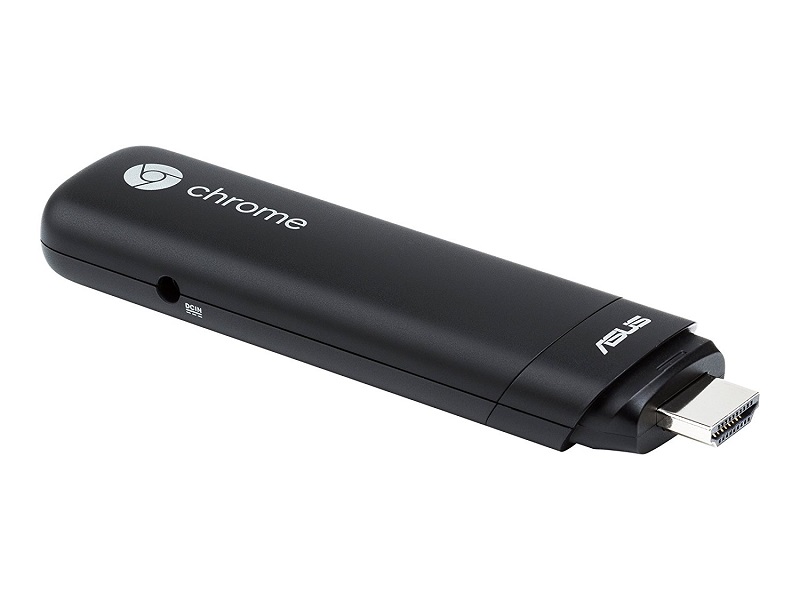
ASUS Chromebit CS10 measures just under 5 inches and is the world’s smallest Chrome OS device. Turning your large monitor or TV into a computer running the latest Chrome OS is easy – simply plug Chromebit CS10 into the HDMI port and pair it with a Bluetooth keyboard and mouse. Chromebit CS10 gives you all the computing essentials so you can conduct online research, catch up with friends, or watch Full HD movies on the big screen.
You can even use it for business applications or digital signage and self-serve kiosks. Explore the possibilities with ASUS Chromebit CS10 – the minimalist and cost-effective computer for your home or business, you can even take it with you on the road.
- Smallest Chrome OS device, turn any HDMI display into a computer and 100 GB google drive space
- Dual-band a/b/g/n/ac 802.11 Wi-Fi with Bluetooth 4.0 for fast connections and wireless peripheral compatibility
- 16 GB Flash memory storage with an easily accessible USB 2.0 slot for expanded storage or wired peripherals
- Included HDMI extender cable and 4 hook and loop stickers allow for more options in setting up Chromebit
- Thousands of Chrome OS apps allows for work and play in a portable package. Power supply:18 W Power adapter
Plug in your way
Small and smooth, with sophisticated details, Chromebit CS10 smartly fits anywhere. To accommodate the angles and positions of HDMI connectors on different displays, it comes with an HDMI extension cable. Adhesive stick-on hoop-and-loop fasteners help hide Chromebit CS10 behind your monitor or TV or put it out front for easy access. Chromebit CS10 fully embodies the best of ASUS design and Google innovation, and it’s already received a 2015 Good Design Award and 2016 CES Innovation Award.
Power and compatibility
Powered by the latest Chrome OS, Chromebit CS10 boots up in seconds and delivers Full HD graphics performance. Together with 2GB of memory, 16GB of eMMC storage, dual-band 802.11ac Wi-Fi, Bluetooth 4.0, and both USB and HDMI ports, Chromebit CS10 reduces dimensions yet preserves the capabilities of a computer to provide new opportunities. We also have a list of qualified Bluetooth keyboards, mice, and USB hubs. No matter how you want to attach peripherals, Chromebit CS10 has you covered.
Networking capabilities
Enjoy faster and more stable wireless connections thanks to dual-band 802.11 a/b/g/n/ac Wi-Fi and Bluetooth 4.0.
Built-in security
Chromebit CS10 automatically keeps up to date, so you will always have the latest features and virus protection. And best of all, it would not slow down over time.
Protecting your privacy
Account-based data access makes Chromebit CS10 ideal as a shared computer. Individual users can easily switch between accounts.
Access your files anytime, anywhere
Your files are automatically synchronized to Google Drive*, so you have access to them in the cloud anytime, anywhere. All you have to do is log in to your Google account on any device.
*100GB of free storage is for two years, starting on the date you redeem the Drive offer. Learn more.
Official Pictures
.jpg)
Stream Seamlessly with Said IPTV
Looking for a zero-buffering IPTV subscription for your device? Said IPTV delivers over 25,000+ live 4K/FHD channels, full beIN Sports, Botola Pro Inwi, Sky Sports, and a 120,000+ VOD library with instant WhatsApp activation.
Stream 25,000+ Channels with Zero Buffering
Get full access to beIN Sports, Botola Pro Inwi, 4K Cinema, and Netflix series in 5–15 minutes with local Moroccan payments (CIH, Attijariwafa, Cash Plus).
Related Tutorials & Guides
Wired Ethernet vs. 5 GHz Wi-Fi for IPTV: Which Is Best?
When setting up an IPTV service on a Smart TV, Firestick, or Android TV box, achieving a stable connection is critical for smooth, buffer-free streaming. While both Wired Ethernet and 5 GHz Wi-Fi offer more than enough raw speed for 4K and Full HD st
How to Fix IPTV Channels Buffering Only During Peak Hours?
Experiencing smooth, high-quality streams during the day, only for your channels to start buffering, looping, or freezing between 7:00 PM and 11:00 PM, is one of the most common issues with IPTV services. Because this buffering occurs strictly during
How to Test IPTV M3U url in a Web Browser?
Testing an M3U Playlist Link in a Browser If your provider only gave you a single, long M3U Playlist URL, you can test it directly in your browser. Analyzing the Result Developed by iptvhelpcenter.com