How to Control KODI remotely by Phone?
Said IPTV Engineering
Said IPTV Technical Architecture Desk

With the help of Kodi, IPTV users can stream thousands of live TV channels on their Android set-up box, Smartphones, gaming consoles such as Xbox One, Personal Computers, and enigma based devices such as Raspberry Pi.
KODI users can utilize an invaluable app called Kore Remote which virtually simulate a comprehensive remote control device and can be used easily on the smartphones, tablets, and iPads.
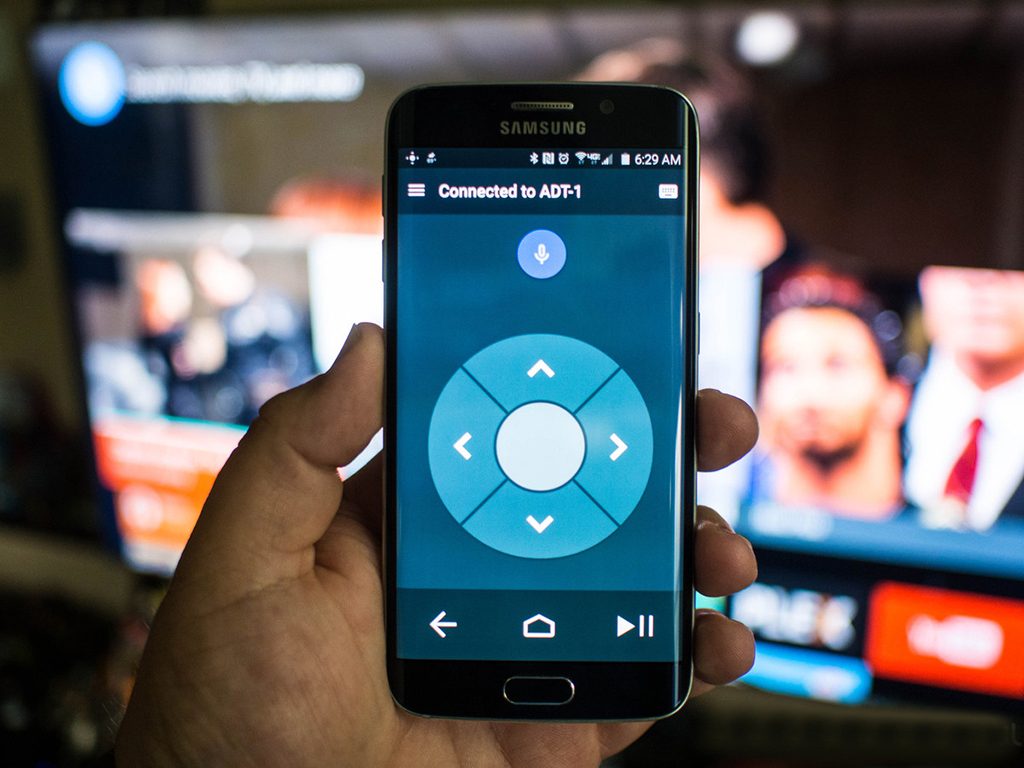
Kore, Official Remote for Kodi
Currently, there is an official app designed exclusively for Kodi and its called Kore.
Here are the main features:
– Command your media center with a simple to use remote
– Including different color themes
– EPG (See what’s currently playing), including related information (movies, TV shows, music, pictures, and add-ons)
– Switch, sync or download subtitles
– Switch to the wanted audio streams
– Switch to live TV channels and trigger recording on your PVR/DVR setup
– Wake-on-LAN and other power control actions that the selected device supports;
Where to Download
You can download this app via below URL’s based on your device:
Android: https://play.google.com/store/apps/details?id=org.xbmc.kore&hl=en
iOS: https://apps.apple.com/us/app/official-kodi-remote/id520480364
Developed by saidiptv.com
Stream Seamlessly with Said IPTV
Looking for a zero-buffering IPTV subscription for your device? Said IPTV delivers over 25,000+ live 4K/FHD channels, full beIN Sports, Botola Pro Inwi, Sky Sports, and a 120,000+ VOD library with instant WhatsApp activation.
Stream 25,000+ Channels with Zero Buffering
Get full access to beIN Sports, Botola Pro Inwi, 4K Cinema, and Netflix series in 5–15 minutes with local Moroccan payments (CIH, Attijariwafa, Cash Plus).
Related Tutorials & Guides
Wired Ethernet vs. 5 GHz Wi-Fi for IPTV: Which Is Best?
When setting up an IPTV service on a Smart TV, Firestick, or Android TV box, achieving a stable connection is critical for smooth, buffer-free streaming. While both Wired Ethernet and 5 GHz Wi-Fi offer more than enough raw speed for 4K and Full HD st
How to Fix IPTV Channels Buffering Only During Peak Hours?
Experiencing smooth, high-quality streams during the day, only for your channels to start buffering, looping, or freezing between 7:00 PM and 11:00 PM, is one of the most common issues with IPTV services. Because this buffering occurs strictly during
How to Test IPTV M3U url in a Web Browser?
Testing an M3U Playlist Link in a Browser If your provider only gave you a single, long M3U Playlist URL, you can test it directly in your browser. Analyzing the Result Developed by iptvhelpcenter.com