How to setup IPTV on MAG Box?
Said IPTV Engineering
Said IPTV Technical Architecture Desk

In this tutorial, we are going to show you how to bring IPTV channels to your MAG device.
How to setup IPTV on a MAG device
Step 1: When the box is being loaded the main portal screen appears. After that click on “settings”, press remote button “SETUP/SET”.
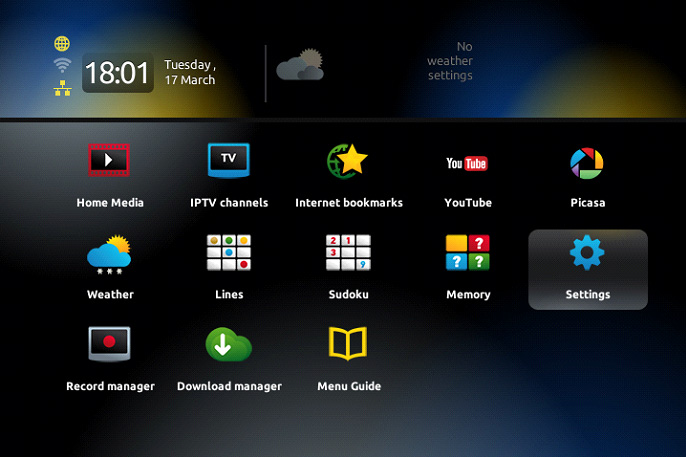
Step 2: Then press on “System settings” and click on “Servers”.
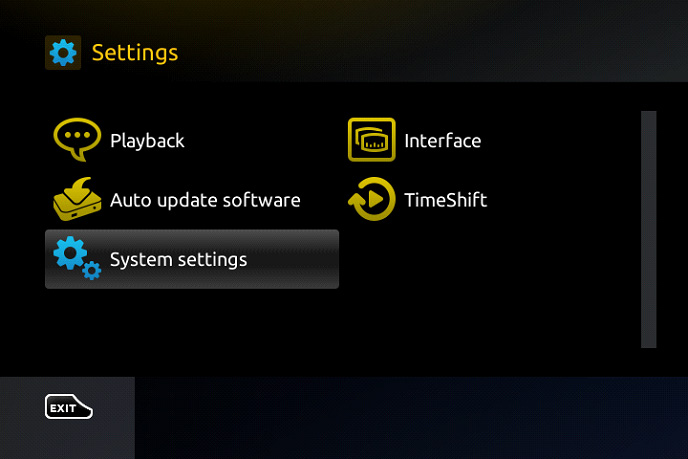
Step 3: Select “Portals”.
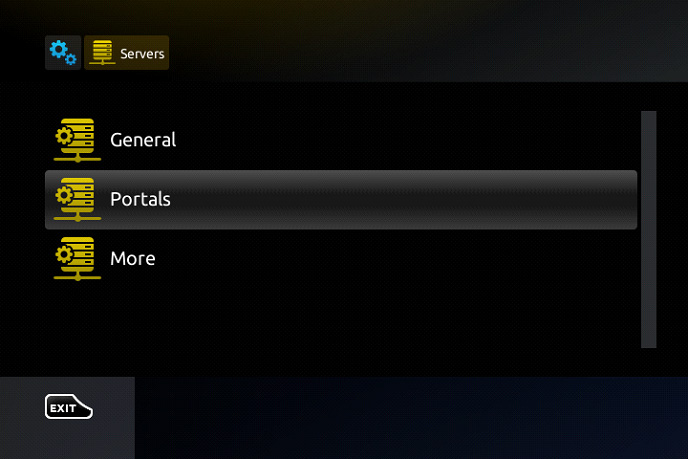
Step 4: In the “Portal 1 name” line enter the following ” IPTV “.
In the “Portal 1 URL” enter the portal address provided by your IPTV distributor. First, you must provide your device Mac address which can be found on the back side of your box to your IPTV distributor.
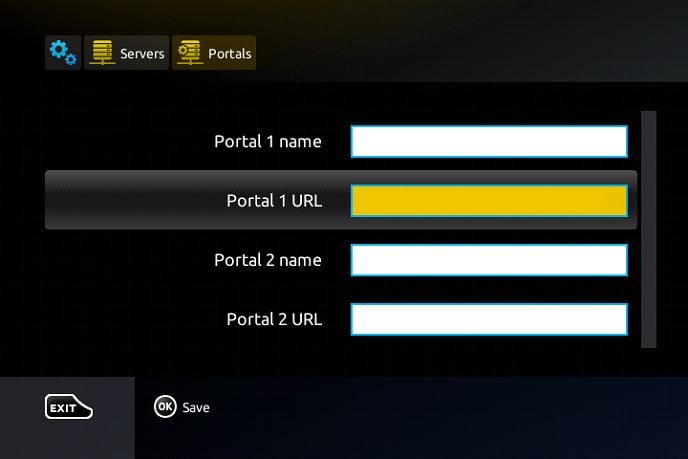
Step 5: When all the operations listed above is done, then press “OK”.
When the settings are being saved click “EXIT” on the remote control and press option “General”.
In the “NTP server,” line enter the following address “pool.ntp.org or us.pool.ntp.org“ for North America.
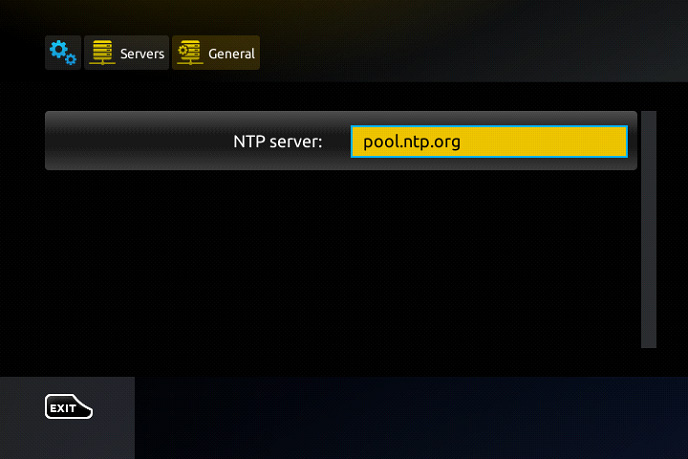
Press “OK” to save the changes you made.
When all the steps listed above are done press”EXIT” 2 times on the remote control and restart the portal.
Now everything is ready to start watching Live TV…
Password for adult content
The password for adult content on MAG is usually 0000 unless it is changed manually by the user.
Developed by saidiptv.com
Stream Seamlessly with Said IPTV
Looking for a zero-buffering IPTV subscription for your device? Said IPTV delivers over 25,000+ live 4K/FHD channels, full beIN Sports, Botola Pro Inwi, Sky Sports, and a 120,000+ VOD library with instant WhatsApp activation.
Stream 25,000+ Channels with Zero Buffering
Get full access to beIN Sports, Botola Pro Inwi, 4K Cinema, and Netflix series in 5–15 minutes with local Moroccan payments (CIH, Attijariwafa, Cash Plus).
Related Tutorials & Guides
Wired Ethernet vs. 5 GHz Wi-Fi for IPTV: Which Is Best?
When setting up an IPTV service on a Smart TV, Firestick, or Android TV box, achieving a stable connection is critical for smooth, buffer-free streaming. While both Wired Ethernet and 5 GHz Wi-Fi offer more than enough raw speed for 4K and Full HD st
How to Fix IPTV Channels Buffering Only During Peak Hours?
Experiencing smooth, high-quality streams during the day, only for your channels to start buffering, looping, or freezing between 7:00 PM and 11:00 PM, is one of the most common issues with IPTV services. Because this buffering occurs strictly during
How to Test IPTV M3U url in a Web Browser?
Testing an M3U Playlist Link in a Browser If your provider only gave you a single, long M3U Playlist URL, you can test it directly in your browser. Analyzing the Result Developed by iptvhelpcenter.com