How to setup IPTV on TiviMate IPTV Player?
Said IPTV Engineering
Said IPTV Technical Architecture Desk
TiviMate IPTV Player is an Android base application which can use to watch IPTV. It supports both Remote playlist and Xtream codes system.
Tivimate is a common app on Firestick to stream IPTV channels.
Here we are going to check how can we add IPTV channels on TiviMate IPTV Player via Xtream codes.
And at the end of article we will review some useful feature on app like Catch-up, Recording, Subtitle and etc.
Setup Tivimate IPTV Player via Xtream Codes API
Step 1: First of all download and install app from here:
https://play.google.com/store/apps/details?id=ar.tvplayer.tv
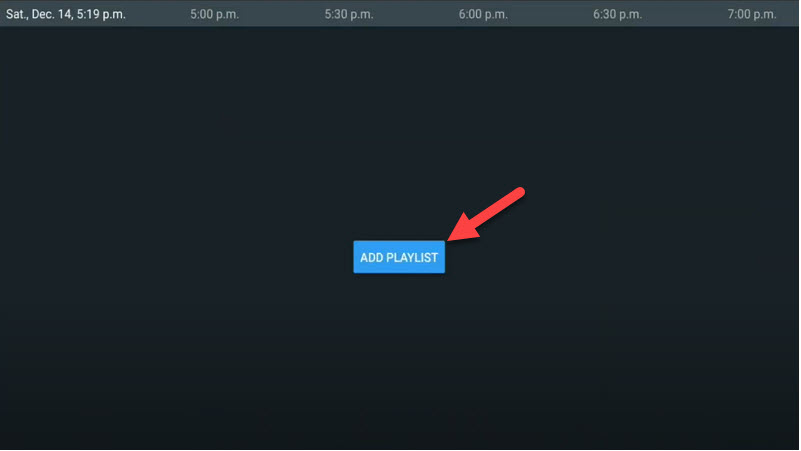
Step 2: After open Tivimate click on “ADD PLAYLIST“.
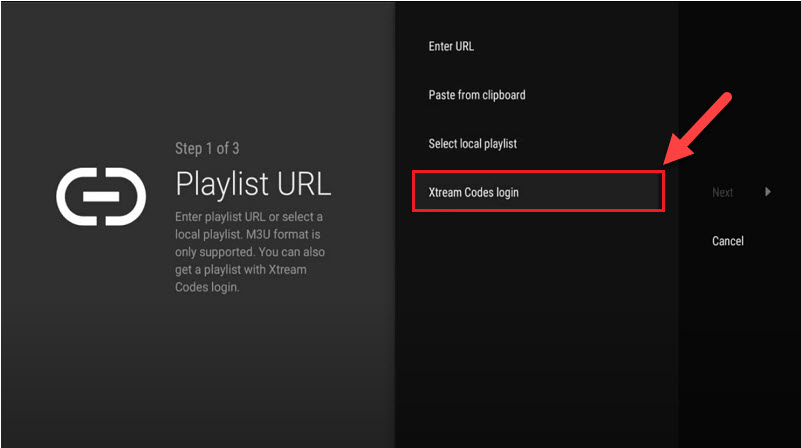
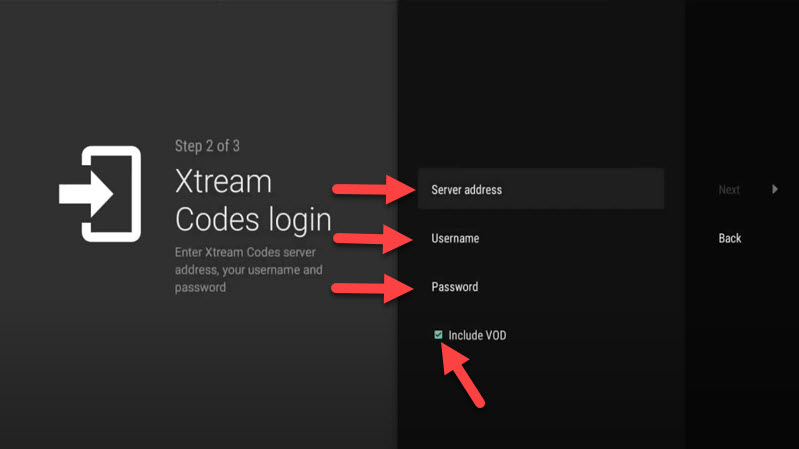
Step 3: Click on “Xtream Codes login” and them Next.
Step 4: In this step you need to add Server address, Username and Password which can be found on your M3U url.
The progressive IPTV providers give you a dashboard which you can access your M3U url in dashboard.
How to find Server Address, Username and Password?
If you want to have VODs too, mark “Include VOD” .
Go on and the channels will appear after a while.
Features on Tivimate IPTV Player
You access many different useful features on Tivimate, we are listing some of them:
• Modern user interface designed for big screens
• EPG – Scheduled TV guide update
• Auto-start on Boot
• Favorite channels
• Picture-in-Picture
• Catch-up
• Record
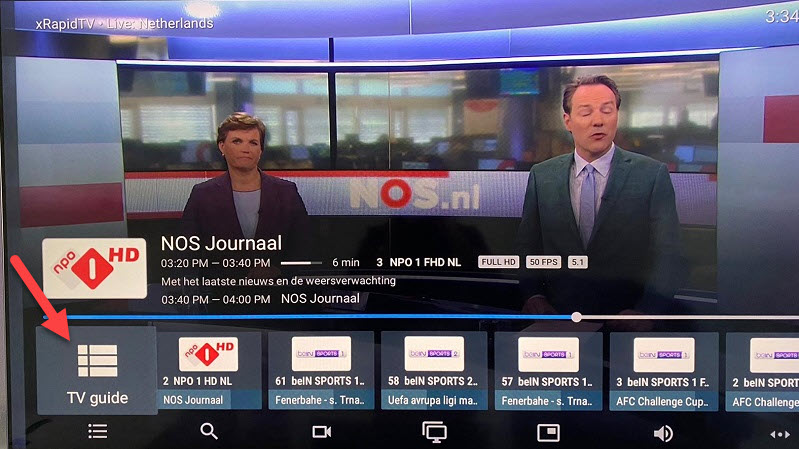
After you open channel you can see this view, you can access EPG by click on “TV guide“.
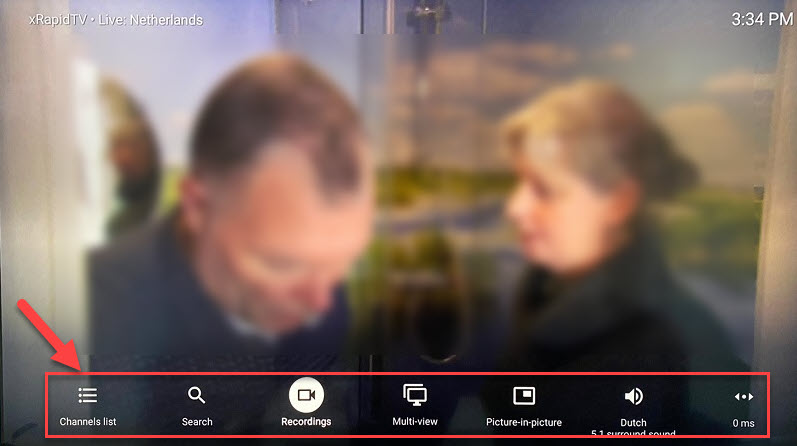
By holding the “OK” button for 2 seconds you can see the setting menu, here you can see many features like Recording.
Scroll right a little and you will see other options like subtitle enable “CC” or “Add to Favorites” .
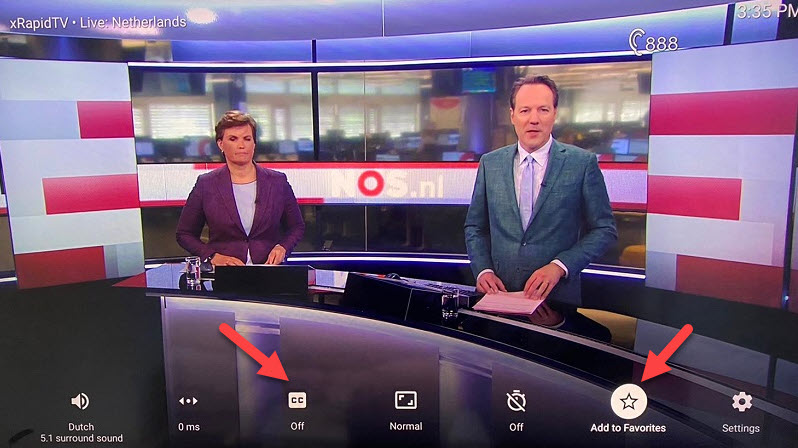
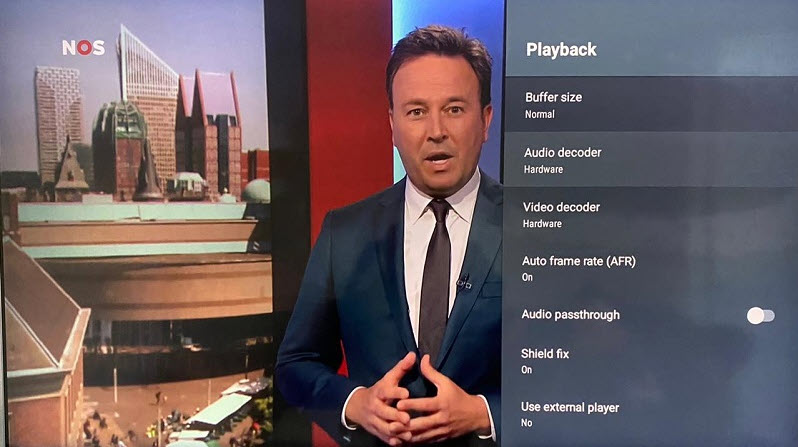
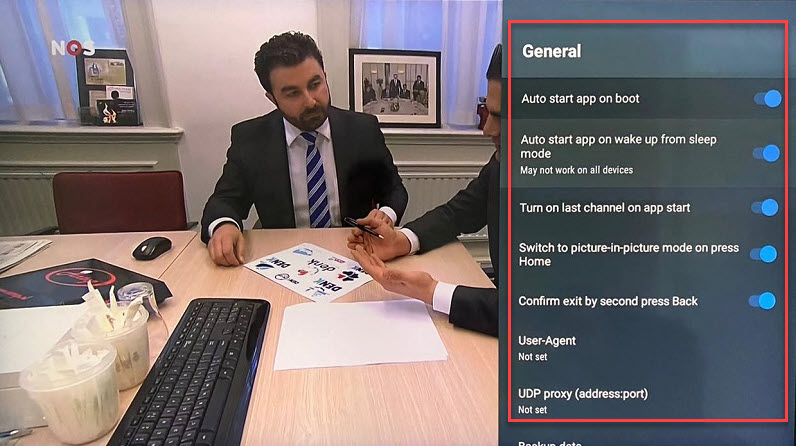
At the end right click on “Setting” to see more options.
Please feel free to discuss it with us in the comment section down below.
Developed by saidiptv.com
Stream Seamlessly with Said IPTV
Looking for a zero-buffering IPTV subscription for your device? Said IPTV delivers over 25,000+ live 4K/FHD channels, full beIN Sports, Botola Pro Inwi, Sky Sports, and a 120,000+ VOD library with instant WhatsApp activation.
Stream 25,000+ Channels with Zero Buffering
Get full access to beIN Sports, Botola Pro Inwi, 4K Cinema, and Netflix series in 5–15 minutes with local Moroccan payments (CIH, Attijariwafa, Cash Plus).
Related Tutorials & Guides
Wired Ethernet vs. 5 GHz Wi-Fi for IPTV: Which Is Best?
When setting up an IPTV service on a Smart TV, Firestick, or Android TV box, achieving a stable connection is critical for smooth, buffer-free streaming. While both Wired Ethernet and 5 GHz Wi-Fi offer more than enough raw speed for 4K and Full HD st
How to Fix IPTV Channels Buffering Only During Peak Hours?
Experiencing smooth, high-quality streams during the day, only for your channels to start buffering, looping, or freezing between 7:00 PM and 11:00 PM, is one of the most common issues with IPTV services. Because this buffering occurs strictly during
How to Test IPTV M3U url in a Web Browser?
Testing an M3U Playlist Link in a Browser If your provider only gave you a single, long M3U Playlist URL, you can test it directly in your browser. Analyzing the Result Developed by iptvhelpcenter.com