MAG Box Problems
Said IPTV Engineering
Said IPTV Technical Architecture Desk
We usually face with some specific issues in MAG boxes.
The 2 prevalent error messages we meet are:
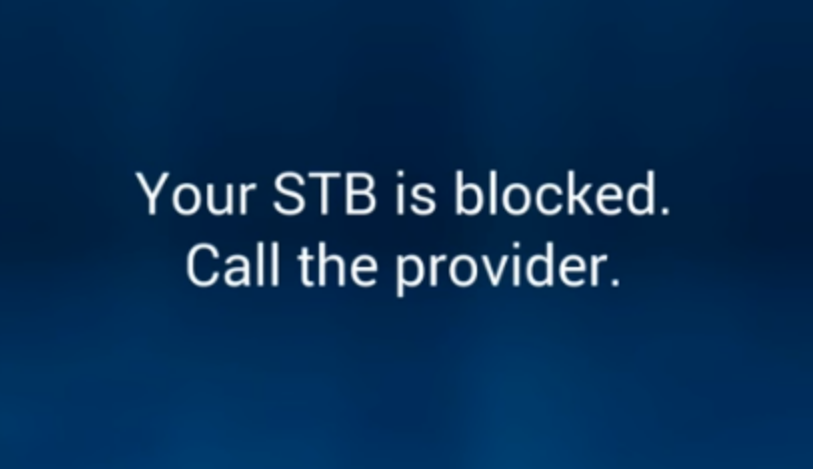
- STB blocked or Black Screen
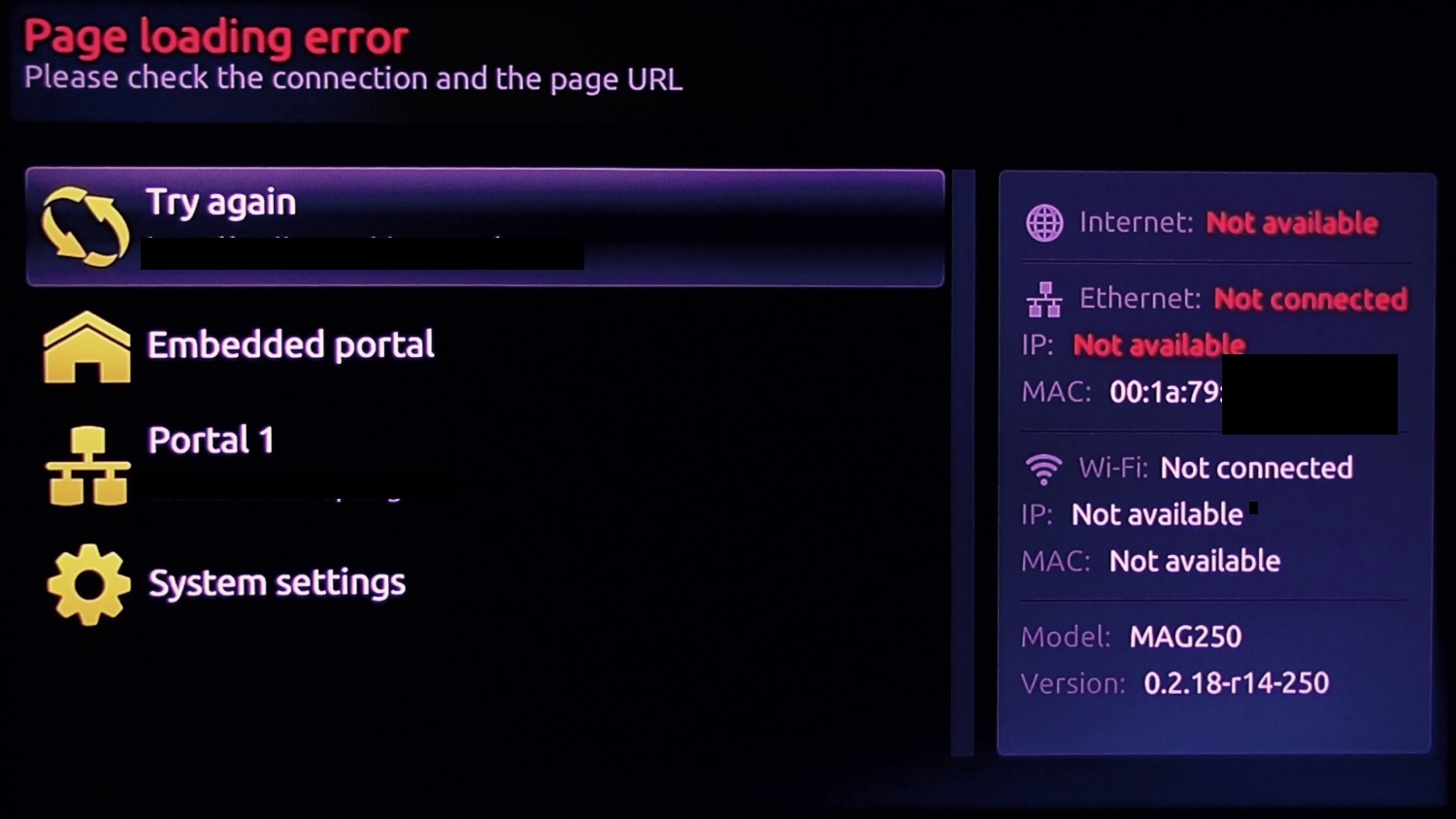
- Page Loading Error
- Loading bar stuck
In this article we are gong to solve these problems.
STB blocked (Black Screen)
STB blocked on MAG happens for various types of reasons. we are going to make a list and explain all of the possible reasons.
Note: Recently in some MAG boxes we have only a Black Screen instead of STB blocked error message.
MAC address didn’t add to the subscription or Removed
For MAG boxes it’s necessary to add the box MAC to the IPTV subscription. What is MAC address in MAG devices?
Privileged IPTV providers give you a dashboard to can edit your IPTV subscription, in the dashboard you can add the MAC or check if it’s still on subscription or not.
And if there is not any dashboard, need to contact IPTV provider about this case.
Adding a wrong MAC address
If you somehow by a mistake add a wrong MAC address to your IPTV dashboard, there is a 100% chance you might see this error on your screen.So we highly suggest you double check every character and number you added to your panel from the back side of your MAG device.
Line expired
If your IPTV subscription is expired, you will face the STB blocked (Black Screen) error on your screen. So head back to your IPTV dashboard and double check if your subscription is expired or not and extend the line if it’s expired.
Line disabled
IPTV providers block (disable) the subscriptions which use in more than allowed devices simultaneously. So should check the line by IPTV service if it has been blocked or not.
ISP blockage
One more reason that STB blocked (Black Screen) error might occur is ISP blockage. In this case, we suggest you contact your Internet Service Provider and ask for further information. You can also try with another internet connection such as a 4G connection from your phone to make sure about this issue.
The last solution for ISP blockage is using a reliable VPN service, but please note that for MAG boxes you need special router to install VPN on it.
Adding a wrong portal address
Exactly identical to the first reason, if you add a wrong portal address to your MAG box, there is a 100% chance that you might see this error again. Now find out the correct portal address by asking from your IPTV provider and it to your MAG device. How can I change the portal address in the MAG box?
Page Loading Error
Mostly this problem occurs because of a problem in internet connection.
On the Page Loading Error Screen, it will say “Ethernet Link: UP” if all is ok or “DOWN” if the Ethernet port is not connected to the router. In addition, it would be possible that your Internet connection does not work well, so you have to check whether Internet access is available.

How to solve this Issue
Firstly this error usually occurs as a result of the lack of Internet connection to the setup box. you need to be sure that the Ethernet cable between your STB and the router is plugged.
The LAN light on the router port which is connected to the back of your STB has to be lit. Also, check the connection on the back of the setup box itself, there should be 2 lights on the connection itself where the cable is plugged into the setup box, one orange and the other is green.
If either the light on the router or the lights on the STB ports do not lit, there should be a connection issue and it is highly recommended to change the Ethernet cable.
If even after these changes the problem still exists, the next step is to unplug both the router and setup box power cables. After unplugging, plug back the router power cable at first and after two minutes plug in the STB power cable.
If your router places in one room and your setup box is in another room and connected to the router via the Ethernet line, please check the lights on the sockets. If this is not lighted, the power line has lost its wireless connection to the router and you will need to reboot both the router and then the power line.
Once the light is back, you have to reboot the setup boxtoo. If the light is lit and the STB is still stuck on the loading screen, you need to make sure that the power line has the LAN light on the front.
Loading bar stuck on the MAG box
Sometimes when the users try to switch a loading message appears on the screen. This issue can be tackled by rebooting both the modem and the STB.
If you think need further help, feel free to discuss it with us in the comments section down below.
Developed by saidiptv.com
Stream Seamlessly with Said IPTV
Looking for a zero-buffering IPTV subscription for your device? Said IPTV delivers over 25,000+ live 4K/FHD channels, full beIN Sports, Botola Pro Inwi, Sky Sports, and a 120,000+ VOD library with instant WhatsApp activation.
Stream 25,000+ Channels with Zero Buffering
Get full access to beIN Sports, Botola Pro Inwi, 4K Cinema, and Netflix series in 5–15 minutes with local Moroccan payments (CIH, Attijariwafa, Cash Plus).
Related Tutorials & Guides
Wired Ethernet vs. 5 GHz Wi-Fi for IPTV: Which Is Best?
When setting up an IPTV service on a Smart TV, Firestick, or Android TV box, achieving a stable connection is critical for smooth, buffer-free streaming. While both Wired Ethernet and 5 GHz Wi-Fi offer more than enough raw speed for 4K and Full HD st
How to Fix IPTV Channels Buffering Only During Peak Hours?
Experiencing smooth, high-quality streams during the day, only for your channels to start buffering, looping, or freezing between 7:00 PM and 11:00 PM, is one of the most common issues with IPTV services. Because this buffering occurs strictly during
How to Test IPTV M3U url in a Web Browser?
Testing an M3U Playlist Link in a Browser If your provider only gave you a single, long M3U Playlist URL, you can test it directly in your browser. Analyzing the Result Developed by iptvhelpcenter.com