Minimum required bandwidth for streaming IPTV
Said IPTV Engineering
Said IPTV Technical Architecture Desk
Generally, this depends on the coding format of streaming. While there exist various coding formats which assure the best image quality along with high level of compression such as H264, other formats would compress the streaming at a lower rate. Accordingly, different formats demand a different minimum amount of bandwidth. Roughly, the minimum bandwidth which is needed for streaming is 25 Mbps for SD channels and 30 Mbit for HD ones.
For Other resolutions please check the below details:
Average required bandwidth
- 25 Megabits per second – Recommended for SD quality.
- 30 Megabits per second – Recommended for HD quality.
- 50 Megabits per second – Recommended for Ultra HD quality.
- 100 Megabits per second – Recommended for 4K quality.
Please note, all these internet speeds are enough when no other device occupying the bandwidth.
Also you should consider the Peak Traffic hours.
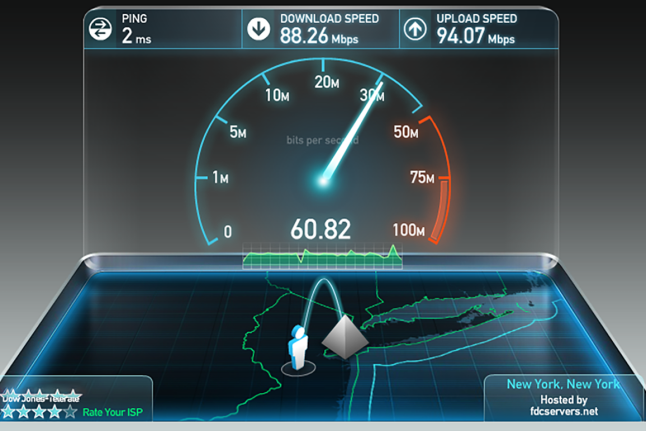
How to check the internet speed
Proceed to http://www.speedtest.net/ and click on “GO”. After that, you can see your Download speed, Upload speed as well as your Ping time to the server.
Latency
Described as primarily the amount of time it takes for a transmitted data packet goes from the source to the destination. All networks have some latency and while that solely is not an enormous concern with IPTV, too much latency or large changes in latency can cause problems.
Packet loss
It’s very simple! The TV cannot display what it never receives and because pretty much all IPTV transmission devices have no re-transmit function, missing packets can lead directly to a degraded viewing experience.
Jitter
The rate of change in latency – presumably the smallest significant factor of these 3 as jitter can be decreased by using buffering at the destination end. Notwithstanding, too much jitter can lead to other network problems that may result in a diminished viewing experience.
Developed by saidiptv.com
Stream Seamlessly with Said IPTV
Looking for a zero-buffering IPTV subscription for your device? Said IPTV delivers over 25,000+ live 4K/FHD channels, full beIN Sports, Botola Pro Inwi, Sky Sports, and a 120,000+ VOD library with instant WhatsApp activation.
Stream 25,000+ Channels with Zero Buffering
Get full access to beIN Sports, Botola Pro Inwi, 4K Cinema, and Netflix series in 5–15 minutes with local Moroccan payments (CIH, Attijariwafa, Cash Plus).
Related Tutorials & Guides
Wired Ethernet vs. 5 GHz Wi-Fi for IPTV: Which Is Best?
When setting up an IPTV service on a Smart TV, Firestick, or Android TV box, achieving a stable connection is critical for smooth, buffer-free streaming. While both Wired Ethernet and 5 GHz Wi-Fi offer more than enough raw speed for 4K and Full HD st
How to Fix IPTV Channels Buffering Only During Peak Hours?
Experiencing smooth, high-quality streams during the day, only for your channels to start buffering, looping, or freezing between 7:00 PM and 11:00 PM, is one of the most common issues with IPTV services. Because this buffering occurs strictly during
How to Test IPTV M3U url in a Web Browser?
Testing an M3U Playlist Link in a Browser If your provider only gave you a single, long M3U Playlist URL, you can test it directly in your browser. Analyzing the Result Developed by iptvhelpcenter.com