What is Kodi addon?
Said IPTV Engineering
Said IPTV Technical Architecture Desk

You can think of a Kodi Addon as a base application that increases the functionality of the main application. There are actually thousands of add-ons that can be connected inside Kodi that will turn this media center application into the best online streaming platform.
Kodi presents a listing of add-ons through its official repository but there are thousands of extra add-ons accessible through different sources on the Internet. How to setup IPTV on KODI?

Some of the common favorite Kodi add-ons grant access to movies, television shows, live tv streams, and live sports events. These add-ons are created to explore the Internet for media content and assist the video or audio streams within your Kodi.
Kodi add-ons are constantly developing, modernizing, and being produced. So be sure to explore the internet frequently for any type of special addon you may need on your Kodi device. Add-ons are open for any platform that can install the Kodi program.
Kodi add-ons normally come in a .zip format and can be connected with very little work by utilizing the addons section below the settings tab inside Kodi.
Kodi Repository
Kodi repository or “repo” is a feature which includes various Kodi add-ons that are split up into different sections. You can also install a Kodi repository that includes multiple add-ons that could all serve you in one place. You can find more information at:
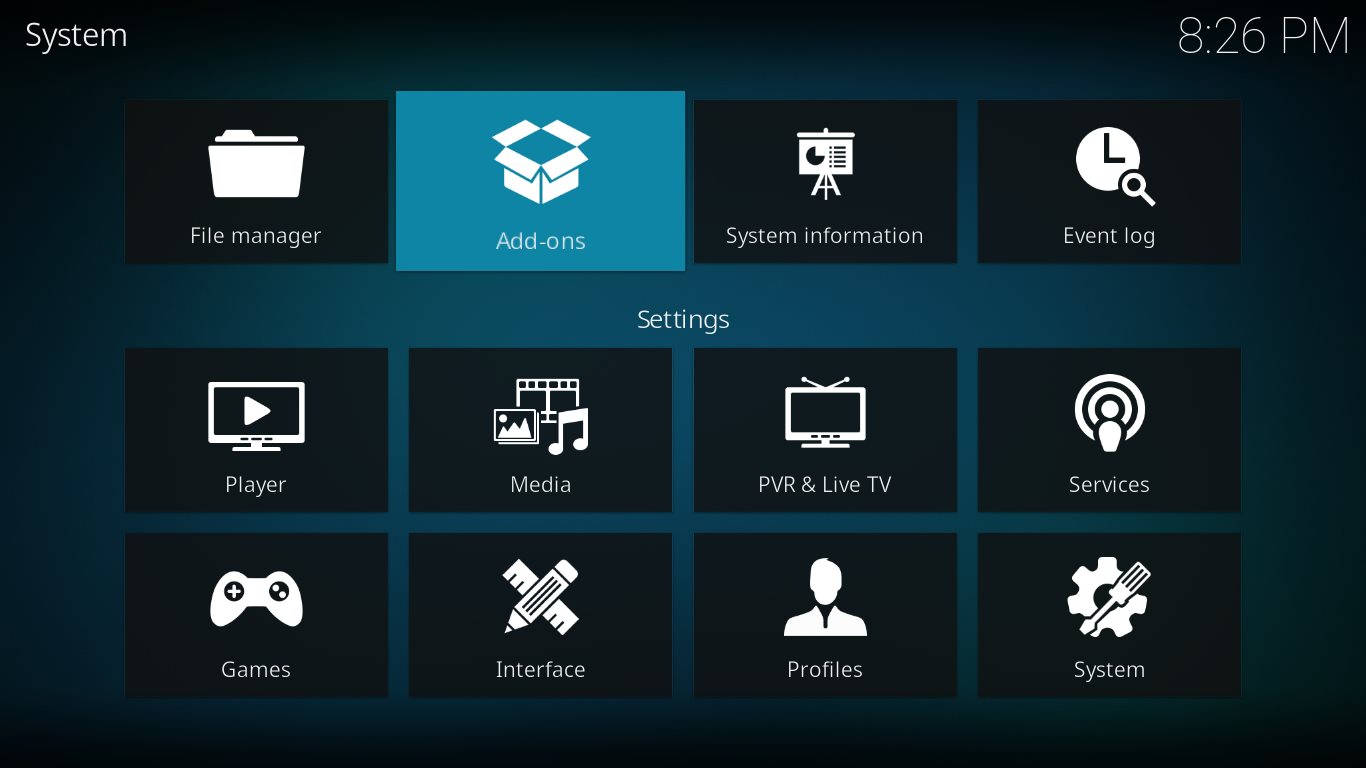
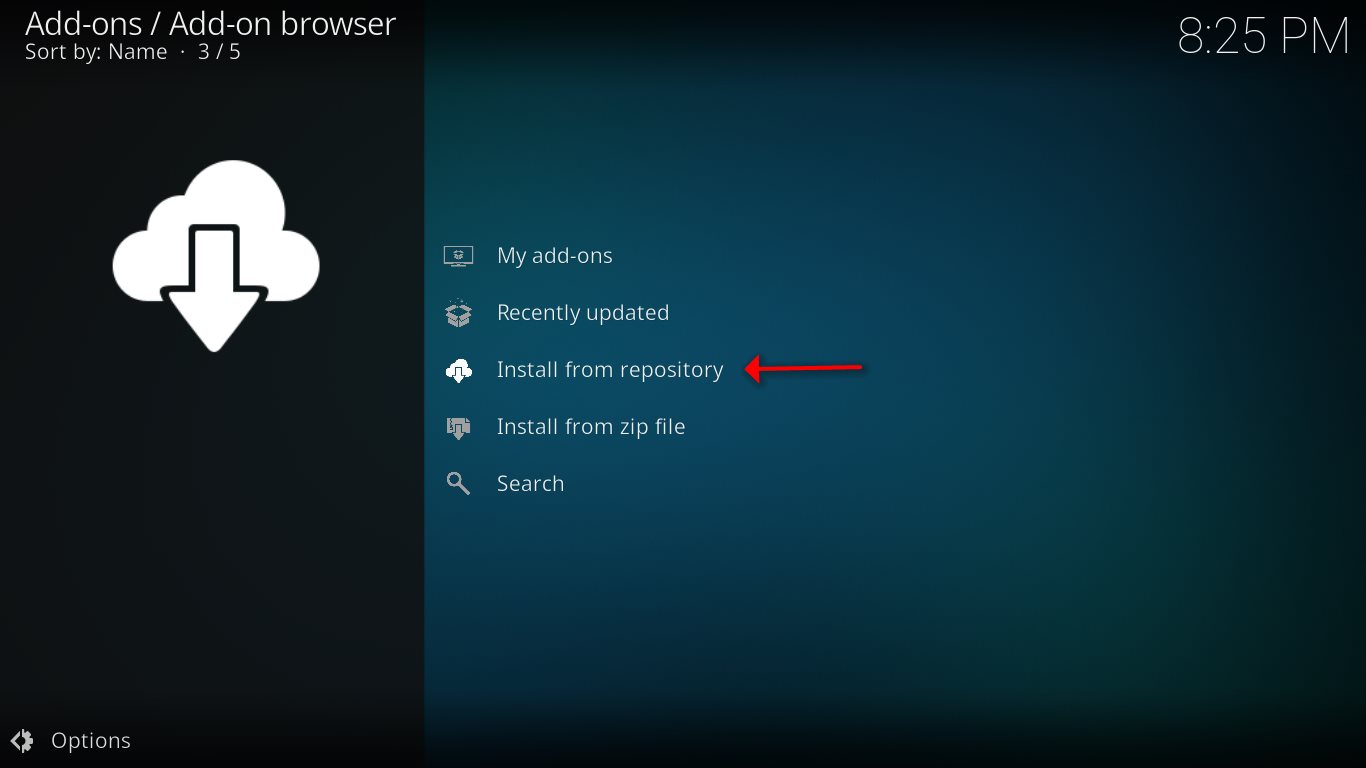
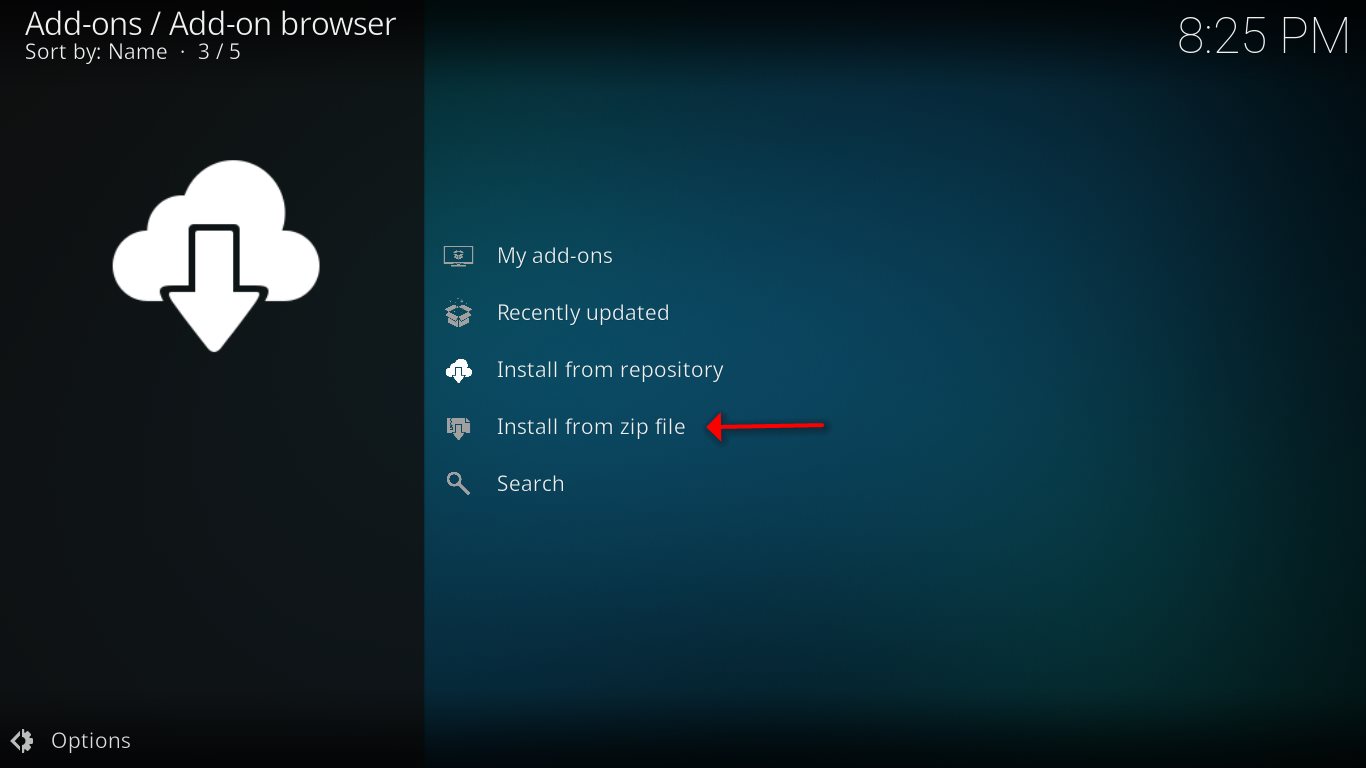
With a repository, add-ons are constantly being updated once a brand-new or greater version has been released. Kodi repositories are additionally installed like different add-ons, by a .zip file inside the Kodi settings section.
What is a Wizard in Kodi?
A Kodi Wizard normally adds a list of various features that you can pick to install on your Kodi. A wizard may also add some helpful gadgets that can assist with buffering issues and other problems.
You will notice that everything described before such as add-ons and repositories is regularly all mixed into a wizard. The Kodi Wizards can also be established as a .zip file within Kodi settings section.
ARES Wizard
ARES wizard is a Kodi add-on that provides you with the tools you need to lower the buffering issues while watching IPTV streams as well as doing maintenance, getting back up and doing a factory reset on your Kodi.
IPTV Simple Client
This is a basic PVR Addon for receiving IPTV channels and EPG directly in your Kodi application. IPTV Simple PVR Client supports Kodi IPTV m3u list, streaming of Live TV for multicast/unicast sources, and even allows you to listen to Radio channels and EPG.
Conclusion
With all these great Kodi add-ons, watching TV is never going to be the same. These great Kodi IPTV add-ons will enhance your experience like never before. If you think we have missed out on any other IPTV Kodi addons, please let us know in the comments section down below.
Developed by saidiptv.com
Stream Seamlessly with Said IPTV
Looking for a zero-buffering IPTV subscription for your device? Said IPTV delivers over 25,000+ live 4K/FHD channels, full beIN Sports, Botola Pro Inwi, Sky Sports, and a 120,000+ VOD library with instant WhatsApp activation.
Stream 25,000+ Channels with Zero Buffering
Get full access to beIN Sports, Botola Pro Inwi, 4K Cinema, and Netflix series in 5–15 minutes with local Moroccan payments (CIH, Attijariwafa, Cash Plus).
Related Tutorials & Guides
Wired Ethernet vs. 5 GHz Wi-Fi for IPTV: Which Is Best?
When setting up an IPTV service on a Smart TV, Firestick, or Android TV box, achieving a stable connection is critical for smooth, buffer-free streaming. While both Wired Ethernet and 5 GHz Wi-Fi offer more than enough raw speed for 4K and Full HD st
How to Fix IPTV Channels Buffering Only During Peak Hours?
Experiencing smooth, high-quality streams during the day, only for your channels to start buffering, looping, or freezing between 7:00 PM and 11:00 PM, is one of the most common issues with IPTV services. Because this buffering occurs strictly during
How to Test IPTV M3U url in a Web Browser?
Testing an M3U Playlist Link in a Browser If your provider only gave you a single, long M3U Playlist URL, you can test it directly in your browser. Analyzing the Result Developed by iptvhelpcenter.com